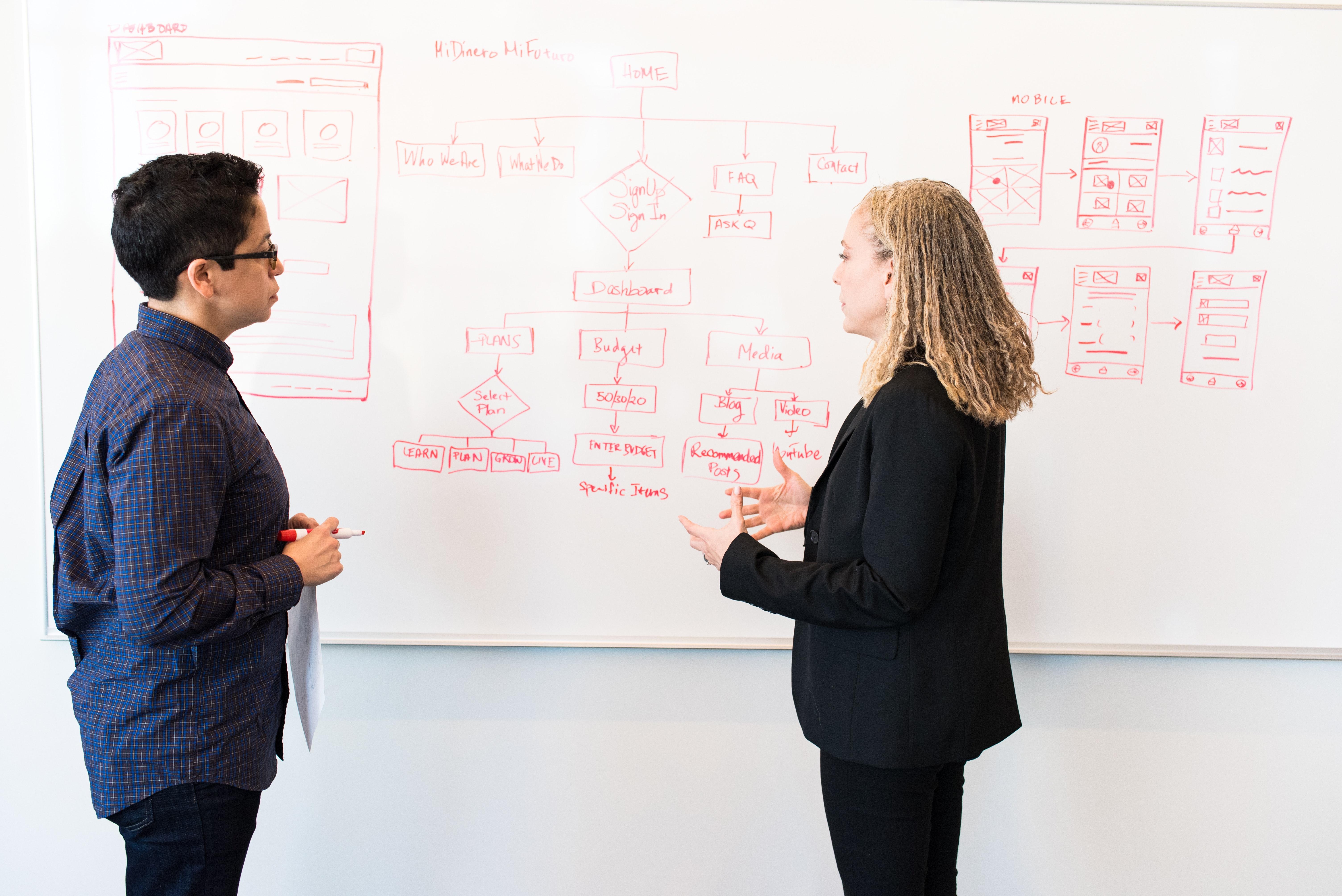
In addition to the STC annual conference, the Society offers Web seminars. In a seminar, participants listen to the presenter over the phone (much like a conference call) while viewing presentation materials via the website. This format provides easier access to materials for reference during the presentation, as well as a more intimate, "classroom" setting than the typical telephone seminar. Registrants are provided a toll-free number, a secure URL, and access to both the audio and online elements of the presentation.
Benefits: No travel time; Pay per site and not per person; Train without leaving the office
Cost: Members $79 each; Nonmembers $149 each, Student Member $29 each. Note: Cost is transferable but is not refundable.
Wednesday, 8 September | Members $79; Nonmembers $149; Student Member $29
1:00–2:00 PM EDT (GMT-4)
Revisiting the Benefits and Pitfalls of Social Networking Sites
Presented by Greg Koch and Roger Renteria
Learn how to use social networking sites to benefit yourself and your organization by networking online with family, friends, and other organizations while avoiding the pitfalls associated with these websites.
This webinar is based on the presentation shown at the STC Annual Summit in 2009 and is updated to reflect the current features and trends of social networking sites. You will gain a better understanding of how to use social networking sites from this presentation.
These sites offer a myriad of tools for organizations, family, and friends to keep in touch with each other. This webinar will focus on the benefits of expanding your network skills as well as marketing to your organization’s member base. Websites such as Facebook, Twitter, and other popular places have tools that bring people together. We will show examples of effective communication and offer tips to prevent embarrassing gaffes from occurring. Topics covered include privacy, marketing, and user-generated content.
Greg Koch is currently attending Rochester Institute of Technology pursuing a masters degree in information technology. He graduated from New Mexico Tech with a BS in technical communication in May 2009. He presented on twitter aggregators at the STC Annual Summit in 2010 and co-presented with Roger Renteria at the Summit in 2009 on social networking sites. He served as the president of the STC Trinitite Student Chapter and was the lead web developer and designer for New Mexico Tech.
Roger Renteria recently graduated from New Mexico Tech with a BS in technical communication. His interests are in visual design and rhetoric. He co-presented with Greg Koch at the STC Annual Summit in 2009 on social networking sites. He was the editor-in-chief of the college student newspaper for two years prior to interning at the university’s Public Information Office.
Wednesday, 15 September | Members $79; Nonmembers $149; Student Member $29
1:00–2:00 PM EDT (GMT-4)
Reading Patterns for Expert and Lower Literacy Readers: Implications for Content Design
Presented by Kathryn Summers
Everyone knows how hard it is to convert skim/browsing behavior to actual, engaged reading of online information. But what if you’re facing the added barrier of users who don’t read well or who have low English proficiency, and who come to your content with added reluctance? Learn about content design strategies (from recent eye-tracking research) that help convert skimming to reading for both expert and non-expert readers. Understanding how people read and navigate page content can improve our ability to provide usable content that is accessible for those who don't read well—an audience that can include the 50 percent of U.S. adults who read at the 8th grade level or below, older users, or ESL speakers.
Learning objectives:
Kathryn Summers an associate professor at the University of Baltimore, does eye-tracking research on making information easier for people with lower literacy skills or low English proficiency to find, navigate, and read on the web. Earlier work included working with colleagues on a three-year grant from NSF to develop an intergenerational design team with faculty, graduate students, and children. The SIAT KidsTeam, in collaboration with a team at the University of Maryland's Human Computer Interaction Lab, helped to design interfaces for the International Children's Digital Library. Kathryn also directs the graduate program in interaction design and information architecture at the University of Baltimore, and directs the school's User Research Lab. The lab supports research activities for faculty, students, and local businesses.
Wednesday, 22 September | Members $79; Nonmembers $149; Student Member $29
1:00–2:00 PM EDT (GMT-4)
Change: Proving the Mettle of Leadership
Presented by Alyssa Fox
Technical communication is a changing industry in which there is much discussion about how we must do more than just write documentation. We must show our value by expanding beyond writing manuals and converting online help. Changes your technical communication team might be facing could include the following:
Most people are naturally resistant to change, especially when they can’t see how the change impacts them positively. This presentation describes how you can lead change in your organization by showing others the benefits and successfully implementing the change in a forward-thinking and powerful way.
Main topics to be addressed include:
Alyssa Fox is an information development manager for an enterprise software company in Houston, Texas. Her background includes over 10 years of experience in technical communication. Alyssa regularly speaks at STC and Project Management Institute conferences. She blogs at www.leadershipwithstyle.com, where she discusses topics related to management, leadership, and communication.
Wednesday, 29 September | Members $79; Nonmembers $149; Student Member $29
1:00–2:00 PM EDT (GMT-4)
Getting Your Documentation Project Off the Ground Running
Presented by Nicky Bleiel
In this session, you'll learn how to quickly size up a software application to develop your project architecture, then use a predefined topic structure to create content. These skills and guidelines will substantially reduce your "time to writing," as well as writing time. Result: your project completed faster, with less rework.
The webinar will discuss the seven stages of software documentation projects, software development methodologies, teams, internal standards, determining deliverables, project and topic architectures, using a book paradigm versus a topic paradigm, and more.
Nicky Bleiel is the lead information developer for Doc-To-Help. She has 16 years of experience in technical communication, writing and designing information for software products in the documentation, media, industrial automation, simulation, and pharmaceutical industries. She is a Director of STC and has presented talks at STC's annual meeting, as well as many regional conferences and chapter meetings. She has also presented at WritersUA, tcworld, LavaCon, and DocTrain on many topics, including embedded help, tools and technologies, user assistance design, single sourcing, wikis, Web 2.0, and convergence technical communication. Her articles include, "Bringing Help to the ForeFront: Strategies to Increase Usability of Your Software User Assistance and Your Product" in STC's Intercom magazine, "Laying the Foundations for Success" in ISTC’s Communicator, "Technical Communication Departments = Higher Profits!" in TechCom Manager, and "Convergence Technical Communication: Strategies for Incorporating Web 2.0" in The Content Wrangler.
Wednesday, 6 October | Members $79; Nonmembers $149; Student Member $29
1:00–2:00 PM EDT (GMT-4)
Business Continuity Planning for Technical Writers
Presented by Corin Caliendo
Business Continuity (BC) planning—the process of planning for the recovery of critical business functions and systems after a disaster—is a discipline where technical writers can use their skills to provide additional value. This session covers the following topics: the major components of a BC plan; tools used to determine the structure of the plan; how to test, audit, and maintain the plan; and how to make the case for BC planning.
Corin Caliendo has been a technical writer for various telecommunications and healthcare software firms for over a decade. She is currently a principal technical writer at NaviNet, Inc., where she has been working on the company’s business continuity plan for the past several years as well as other traditional technical writing projects. Caliendo has had training in business continuity planning and hopes to become a certified business continuity planner in 2010.
Wednesday, 13 October | Members $79; Nonmembers $149; Student Member $29
1:00–2:00 PM EDT (GMT-4)
Will Distributed Authors Actually Use Web-Based CMS?
Presented by Dr. Clinton R. Lanier
This session will discuss a case of using a web-based content management system at a medium sized (roughly 500-employee) organization. Because of limited resources in the web communication division, each of the organization’s offices are expected to control (create, update, and maintain) their own content (both web-based content and file/data). The solution—a web-based CMS—was built and deployed in mid 2009. However, a year-end study found that few were using it. Further studies revealed why and how the trend could be reversed so that it was used as an effective content management system by all of its distributed authors.
Dr. Clinton R. Lanier is an assistant professor of technical communication and the interim director of web communication at the New Mexico Institute of Mining and Technology in Socorro, New Mexico. He worked previously as a contract technical editor for the U.S. Army Research Laboratory and as an information developer for IBM. His research interests include website design, interface design and usability, international technical communication, and technical editing.
Wednesday, 20 October | Members $79; Nonmembers $149; Student Member $29
1:00–2:00 PM EDT (GMT-4)
Using Focus Groups to Strengthen Technical Communication Practice
Presented by George Hayhoe and James Conklin
This highly interactive workshop reviews the theory and practice of focus group (FG) methods, and shows how technical communicators can use FGs to understand the issues and needs of audiences, users, and customers. The workshop includes the following components:
Interactive components include:
Expected outcomes:
James Conklin is an assistant professor of applied human sciences at Concordia University in Montreal. His research focuses on the role of knowledge transfer and exchange in efforts to bring about change to social systems. For five years he has led the formative and developmental evaluation of the Seniors Health Research Transfer Network in Ontario, Canada. He also has more than 25 years of experience as a consultant and manager in the fields of technical communication, organization development, and knowledge transfer. He was elected a Fellow of STC in 2002. He has published articles and conference papers on topics in technical communication, social learning, and organization effectiveness. He holds a PhD from Concordia University.
George Hayhoe is a professor of technical communication at Mercer University. A Fellow of STC, he edited its journal, Technical Communication, from 1996 to 2008. He is also a senior member of IEEE and the IEEE Professional Communication Society, and is a past president of that society. He holds a PhD in English from the University of South Carolina. His professional interests include product and document usability, research in technical and professional communication, and core competencies of professional and technical communicators. He is the coauthor, with Michael Hughes, of A Research Primer for Technical Communication: Methods, Exemplars, and Analyses (Erlbaum, 2008), and coeditor, with Helen Grady, of Connecting People with Technology: Issues in Professional Communication (Baywood, 2009).
Conklin and Hayhoe are coeditors of Qualitative Research in Technical Communication, which will be published by Routledge this fall.
Wednesday, 27 October | Members $79; Nonmembers $149; Student Member $29
1:00–2:00 PM EDT (GMT-4)
Have Smartphone, Will Write
Presented by Larry Bonura
Smartphones are becoming the new PC. These go-anywhere devices can be your personal writing assistant, helping you perform many of the tasks you need to accomplish as a technical writer. Smartphones offer the ability to work anywhere and anytime, with nearly a fully functioning set of applications that can make your life as a writer easier—even if your writing continues to be difficult and challenging. Smartphones now have tremendously useful applications that you as a writer can use in your daily work: word processing for writing and editing, spreadsheets, media players, note takers, mind mapping, project management, GPS and GIS, location-based tracking, voice memo recorders, image viewers, photography, video capture, optical character recognition, scanning, email access, web browsing, personal information management, and connectivity and sharing capabilities. Attend and learn how your smartphone can be your best buddy when you write.
Larry Bonura is a writer, historian, poet, and indexer, and has been using his smartphone in his various writing assignments for several years.
Wednesday, 3 November | Members $79; Nonmembers $149; Student Member $29
1:00–2:00 PM EDT (GMT-4)
Communication and Miscommunication in Virtual Workplaces
Presented by Dr. Pamela Brewer
This webinar will focus on the results of a multi-case study of virtual communication in three international organizations. Dr. Brewer will discuss factors causing miscommunication, solutions implemented to avoid miscommunication, and communication patterns significant to these workplaces. She will also discuss how patterns of miscommunication and related solutions in international virtual workplaces compare to those in non-international virtual workplaces. Discussion will be encouraged throughout the webinar and at its conclusion.
Dr. Pamela Brewer earned her PhD in technical communication and rhetoric from Texas Tech University. At Appalachian State University, she directs the professional writing concentration in English as well as the writing and editing internship program. Her research is focused on virtual workplaces and intercultural issues in technical communication. She has published book chapters and articles on related topics. In addition to being an experienced educator, she has worked as a technical communicator for such companies as Mead Data Central (now LexisNexis) and Cincom Systems. She is a senior member of STC and manager of the Academic SIG as well as a member of ATTW and CPTSC.
Wednesday, 10 November | Members $79; Nonmembers $149; Student Member $29
1:00–2:00 PM EDT (GMT-5)
Content Management as a Practice
Presented by Pamela Kostur
Content management is all about the content. It means approaching your content strategically, making decisions related to creating it, reviewing and approving it, translating it, publishing it, and maintaining it based on the needs of your business and your users. Yet content management is often viewed as a technology implementation when, in fact, content management is a practice, something that you do every day, apart from the technology you are using.
Join in this lively presentation that puts content in the spotlight. This presentation examines content management in a new light, focusing on:
Pamela Kostur is a partner in Parallax Communications, a full-service communications consulting company in Toronto, Canada. Parallax specializes in content management strategies, structured writing, corporate and marketing communications, technical communication, and content development. Pamela has been writing professionally for over 20 years and has extensive experience working with clients around the world, helping them to align content with users’ needs and business requirements. Pamela is passionate about putting content and its users first and allowing technology to play a supporting role.
Wednesday, 17 November | Members $79; Nonmembers $149; Student Member $29
1:00–2:00 PM EST (GMT-5)
Measuring Productivity
Presented by Juliet Wells Leckenby
Every manager struggles to balance writer workload and project capacity. A simple spreadsheet-based system can help you objectively evaluate assigned tasks, task time and complexity, special projects, and even writer experience levels to more accurately assess individual workload and capacity. The result is a simple, but useful, representational graph.
In addition to measuring current team capacity and productivity, this method also provides objective metrics to better estimate future project capacity and to support performance evaluations for individual writers.
Juliet Wells Leckenby has worked as a technical writer for almost 20 years, the last five at McKesson Provider Technologies. She served as a team lead and is now the manager of the documentation team. In both roles, she has struggled to quantify and balance the workload of technical writers, and developed this system with her previous manager to obtain relatively objective metrics for comparison and simulation purposes.
Wednesday, 1 December | Members $79; Nonmembers $149; Student Member $29
1:00–2:00 PM EDT (GMT-5)
Enhance Your Writing Career with Improved Speaking Skills
Presented by Barrie Byron
Is your fear of public speaking hurting your career? Do you want to overcome this fear?
Technologies change. Tools change. Teams change. Jobs change. One quality of technical communication that never changes is effective verbal communication skills. Effective verbal communication is a timeless and fundamental business skill that can be learned. Talented public speakers are not born, they are made.
As a participant in this webinar, you will learn about:
We develop content plans and apply methodology to crafting our technical communication. This session will cover the tools and the methodology to help you improve your speaking skills to enhance your writing career. The webinar is appropriate for all levels of technical communicators with an interest in improving their speaking skills.
Barrie Byron is an STC Associate Fellow, a frequent presenter at STC meetings, and an experienced public speaker. She is an award-winning technical writer with a long history of STC membership and volunteer leadership. Barrie is currently the Philadelphia Metro Chapter competition manager, and is Past President of Princeton Toastmasters.
With over 25 years of technical communication experience, Barrie’s career spans vast technology and tools advances and includes work as a newspaper production staff member, traveling software trainer, technical writer in employee and contractor roles, and documentation manager at a small voice technology software company. Barrie currently works as an information developer for IBM. With over 10 years of Toastmasters membership and volunteer leadership, Barrie has earned her Toastmasters Internal Advanced Communicator Gold and Advanced Leader credentials. Barrie is passionate about learning and sharing knowledge!
Wednesday, 8 December | Members $79; Nonmembers $149; Student Member $29
1:00–2:00 PM EST (GMT-5)
Creating Visual Help and Training Using Adobe Captivate
Presented by Juliet Wells Leckenby
For years, software training was mainly text-based … write a description and instructions in a Word document, paste in some screen shots, and voila! The result worked, but think how much more effective it could be to have someone actually “walk you through the steps” on the screen. That's where Captivate comes in, letting you create that “someone.”
Captivate helps you create training “movies” and eLearning inexpensively and quickly. It records what's on the screen as you perform a software-based task, and saves those screen shots as a “filmstrip.” You can then add explanatory or instructional captions, highlights, special effects, and other features to walk users through the movie and help them learn the subject. Or you can add features that simulate mouse clicks and text field entries to simulate the actual software and help users learn the subject by doing rather than simply watching. Captivate also offers LMS (Learning Management System) connectivity tools that let you integrate your movies into large-scale eLearning systems. And Captivate isn’t just for software training. You can use it to create role-playing simulations for subjects like sales training, and more unusual uses like usability-test recording, games, and even anime comic strips.
These movies lend themselves to a variety of uses—obviously training, but others like:
The movies are very flexible, able to run locally on users' PCs or from a network drive or web site. All these features come in a deceptively simple tool that you can learn on your own or via short courses, and is inexpensive compared to many other large-scale visual authoring tools.
In this session, we’ll take a look at Captivate’s major features, some in detail and some in summary due to time limits. We’ll then create a quick demonstration movie to show the major features in action. Finally, we’ll briefly review what’s new in Captivate 5.
Neil Perlin 32 years experience in technical communication, with 25 in training, consulting, and development for various online formats and tools including WinHelp, HTML Help, CE Help, JavaHelp, WebHelp, RoboHelp, ForeHelp, Flare, and many now known only in legend. Neil is a columnist and frequent speaker for STC, IEEE PCS, and other professional groups, a Fellow of STC, and the creator and manager of the Beyond the Bleeding Edge stem at the STC’s annual conference.
Neil is a Madcap Certified Instructor for Flare and Mimic, and an Adobe-Certified Instructor for RoboHelp and Captivate. He provides training, consulting, and development for online help and documentation, Flare, RoboHelp, Captivate, Mimic, XML, single-sourcing, topic-based and structured authoring, and mobile web site development through Hyper/Word Services of Tewksbury, MA. He can be reached by email or on www.hyperword.com.